Your next big idea.Built to work.

We design and build websites, mobile apps and business systems for companies in Uganda and beyond, and we run products of our own.

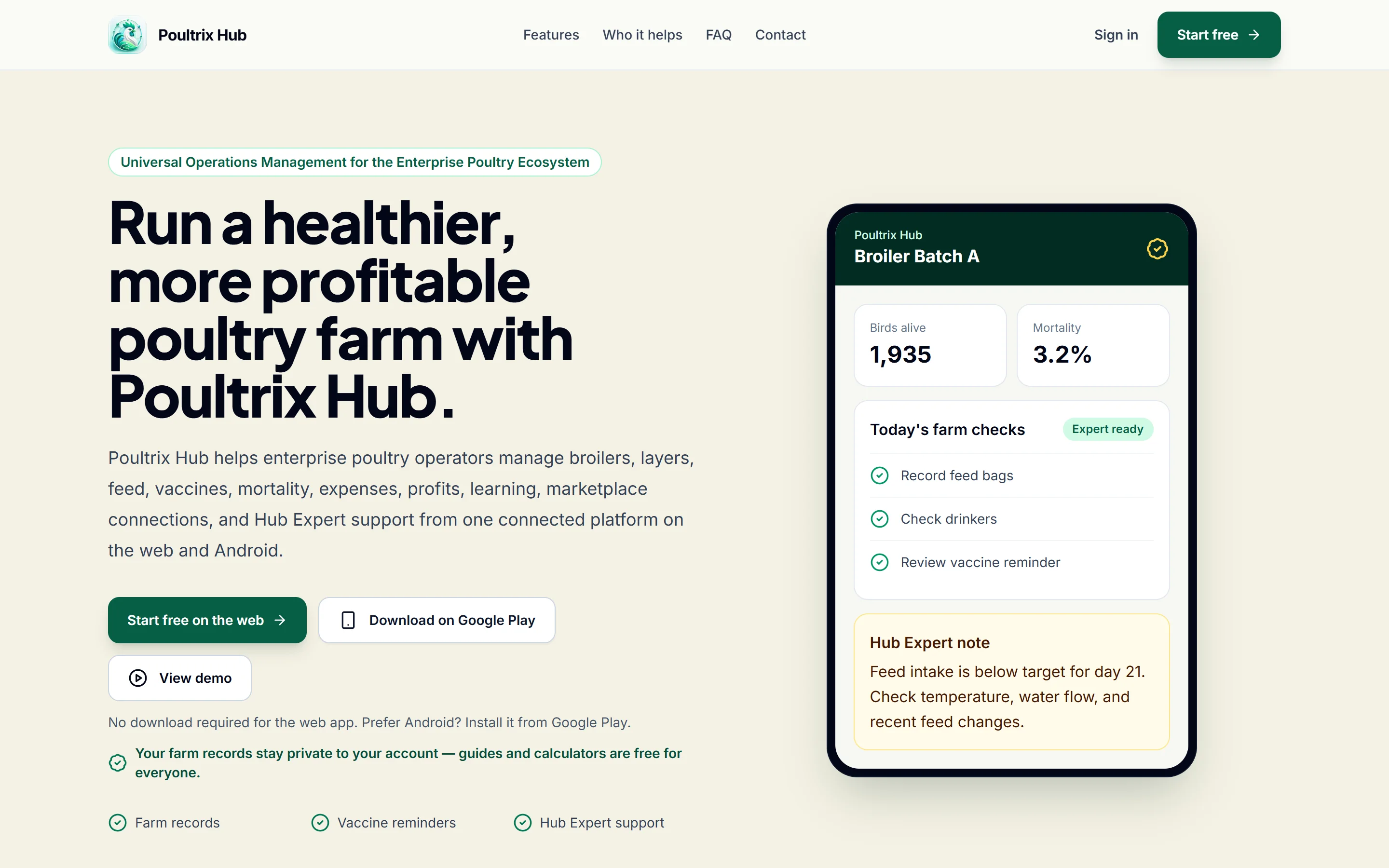
Poultrix Hub web app home page as it is live today

LiveDesigned, built and run by GAB

Poultrix Hub: Farm records, learning and a marketplace for poultry farmers, on the web and on Android.

See how we built it: the Poultrix Hub case study

What we build

Four kinds of work, each with a written scope before any price.

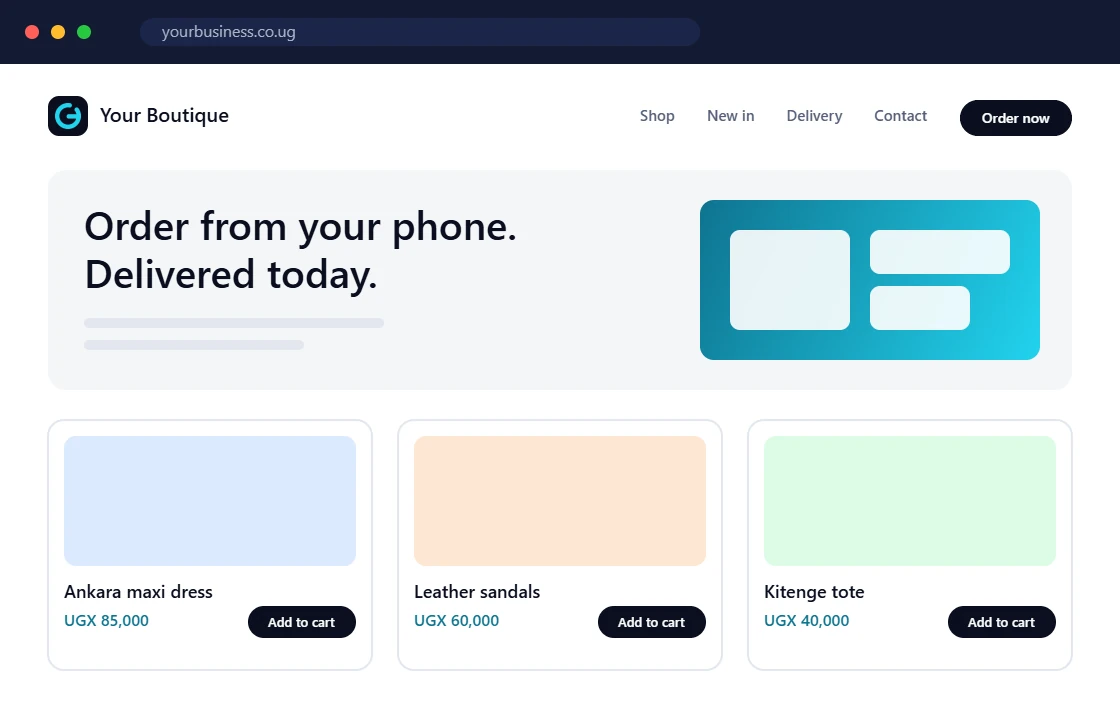
  1. Illustration: a business website with an online shop

    1 of 4

    Websites and web platforms

    From a five-page company site to a system your whole team works in every day.

    • A clinic site where patients request an appointment and get a reference number
    • An online shop with stock, delivery areas and mobile money at checkout
    • A members' portal where a cooperative's farmers see their own deliveries and payments

    We have built this: Poultrix Hub's web app: records, courses and a marketplace in the browser.

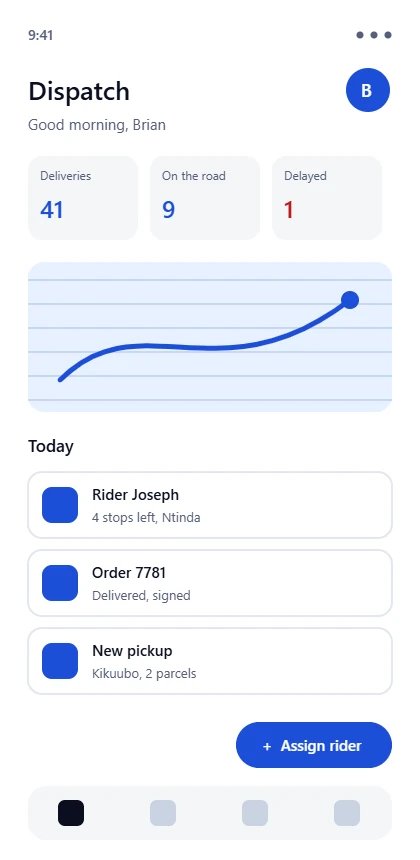
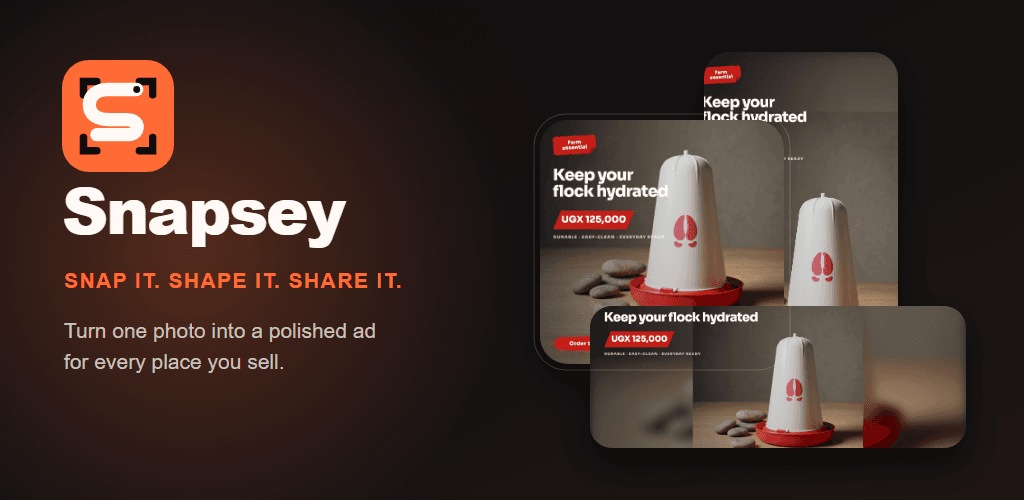
  2. Illustration: a mobile app for orders and deliveries

    2 of 4

    Mobile apps

    Android and iOS from one Flutter or web codebase, released through the stores by us.

    • An ordering app for a shop's regular customers, with order status and receipts
    • A field app for agents that records visits offline and syncs when there is signal
    • A booking app with reminders sent as push notifications

    We have built this: Poultrix Hub on Google Play, plus two apps of our own in development.

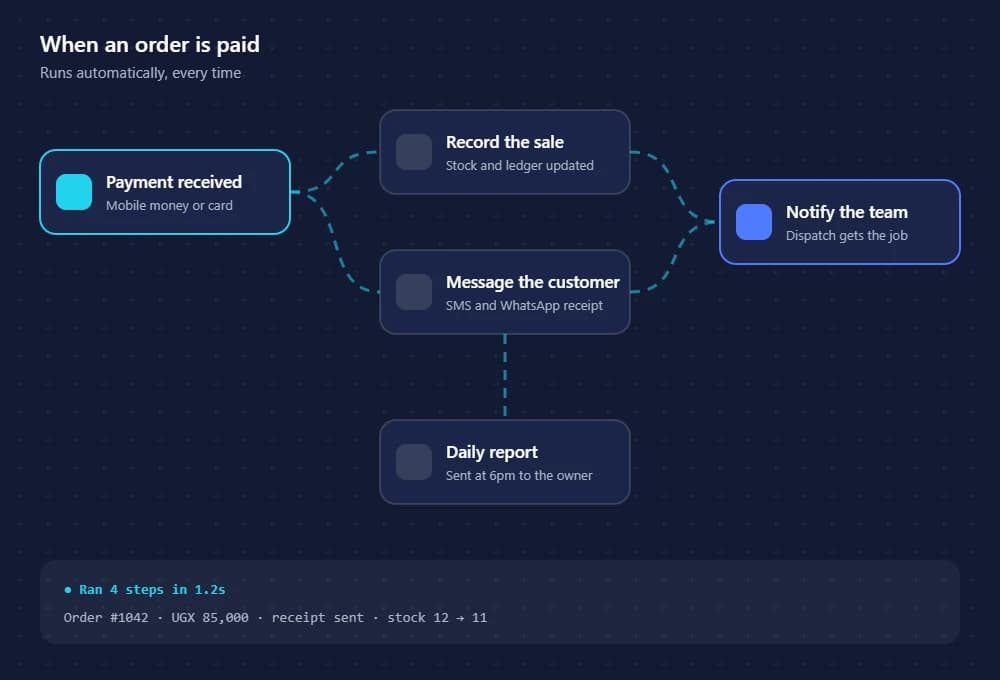
  3. Illustration: an automated workflow connecting payments, messages and records

    3 of 4

    Integrations and automation

    The work nobody sees: data, sign-in, payments and the steps that should happen on their own.

    • Mobile money payments matched to invoices without anyone retyping them
    • A new enquiry that lands in the database, the team inbox and a follow-up list at once
    • An SMS or WhatsApp reminder the day before an appointment

    We have built this: Poultrix Hub's shared backend: sign-in, sync, subscriptions and notifications.

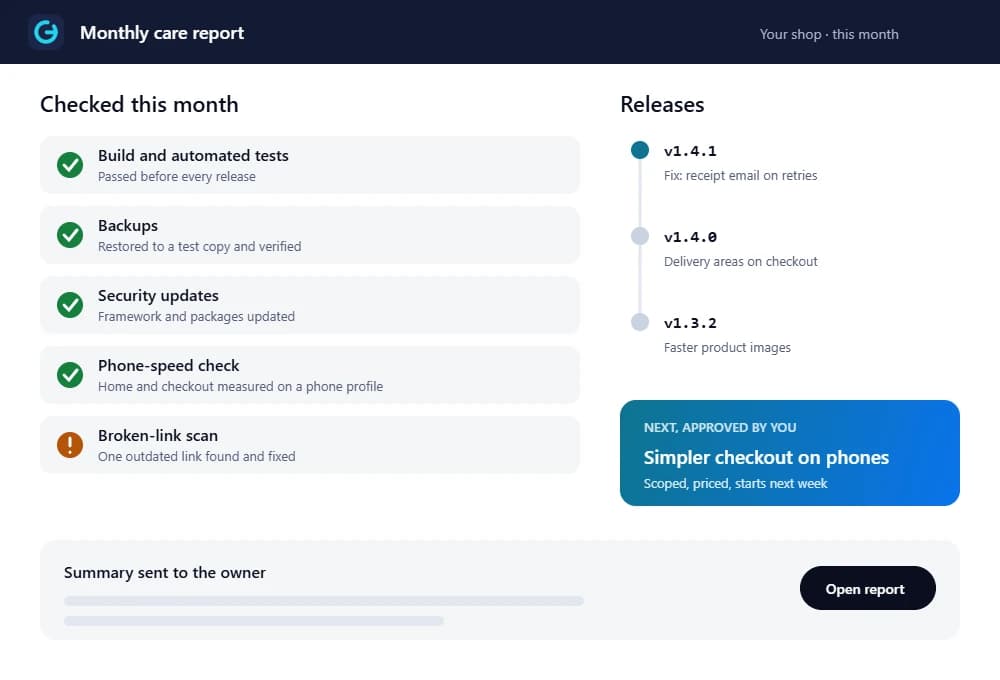
  4. Illustration: a monthly maintenance report with checks, releases and the next improvement

    4 of 4

    Ongoing improvement

    Software you already have, made clearer, safer and easier to change.

    • An audit of an app whose developer has left, with the risks in plain language
    • A checkout redesign for a shop whose visitors leave at the payment step
    • Monthly updates, backups and fixes with a short written summary

    We have built this: Poultrix Hub keeps shipping: its Google Play listing was last updated in August 2026.

Selected work

What we have actually built.

Shown as it is today, with our part in it and what can be checked. Client projects appear here only with the client's written approval.

All work and case studies
Poultrix Hub web app home page as it is live today
The public home page at poultrixhub.com, captured from the live site.

Poultrix Hub

Available now

Farm records, learning and a marketplace for poultry farmers, on the web and on Android.

Our part
Designed, built and run by GAB
Where it runs
Web app · Android (Google Play)
Checked
  • poultrixhub.com is online and serves the web app
  • Published on Google Play as app.poultrixhub.android
  • Listing last updated on 22 August 2026
  • Google Play shows 100+ downloads

Checked on 24 September 2026.
How we work

From first message to software you own.

Seven stages. Each one ends with something in your hands and a decision that is yours, so you never pay for work you have not agreed. Custom work is scoped before it is priced.

  1. Stage 1: Discovery

    A conversation about your business, not a sales pitch.

    Your decision: Whether it is worth scoping.

    Who does what, and what you receive
    You
    Tell us what you do, who your customers are and what is not working. The enquiry form, a consultation or a WhatsApp message all start it.
    We
    Ask a lot of questions, look at the tools you use today, and say honestly whether software is the answer.
    You receive
    A written summary of the problem and what success would look like.
  2. Stage 2: Scope

    The idea becomes a list you can read and price.

    Your decision: Approve stage one. Nothing is built before you do.

    Who does what, and what you receive
    You
    Check the page list or screen map against how your business really works.
    We
    Pick the simplest technology that fits, split the work into stages and price the first one.
    You receive
    A proposal with scope, stages, timeline, cost and what is not included.
  3. Stage 3: Design

    You see and click it before anyone writes code.

    Your decision: Sign off the screens that go into the build.

    Who does what, and what you receive
    You
    Click through the key screens on your own phone and tell us what feels wrong.
    We
    Design the screens that matter most, phone first, then larger screens, in your brand.
    You receive
    Approved screens and a clickable prototype.
  4. Stage 4: Build

    Working software every week, not a surprise at the end.

    Your decision: Raise changes early; anything outside the scope is priced before it is added.

    Who does what, and what you receive
    You
    Open the preview link, try it, and send feedback while changes are still cheap.
    We
    Build in short cycles with the database, sign-in, payments and integrations the scope lists.
    You receive
    A preview link that updates weekly and a shared task list.
  5. Stage 5: Testing

    Checked on real phones and slow connections before launch.

    Your decision: Approve the launch.

    Who does what, and what you receive
    You
    Run it with your own team and a copy of your real data.
    We
    Test forms, payments, permissions and error states on low-cost Android phones and slow networks, and fix what fails.
    You receive
    A test checklist showing what passed and what was fixed.
  6. Stage 6: Launch

    Live, in your name, with a handover.

    Your decision: Choose the support plan that matches how much the system matters.

    Who does what, and what you receive
    You
    Own the domain, store, hosting and payment accounts from day one.
    We
    Connect domains, app stores, payments and email, move content and data, then publish.
    You receive
    The live product, documentation and a handover session for your team.
  7. Stage 7: Support

    Software keeps working after the launch excitement.

    Your decision: What to improve next, or to hand it to another team with full documentation.

    Who does what, and what you receive
    You
    Report issues through one direct line and suggest what should improve next.
    We
    Monitor, apply security updates, fix bugs and ship small improvements.
    You receive
    A monthly summary of what changed and a route for urgent issues.
  8. Discovery starts with the enquiry form, a consultation request or a WhatsApp message. Whichever suits you.

    Start with discovery

Product craft

A closer look at one flow: how you reach us.

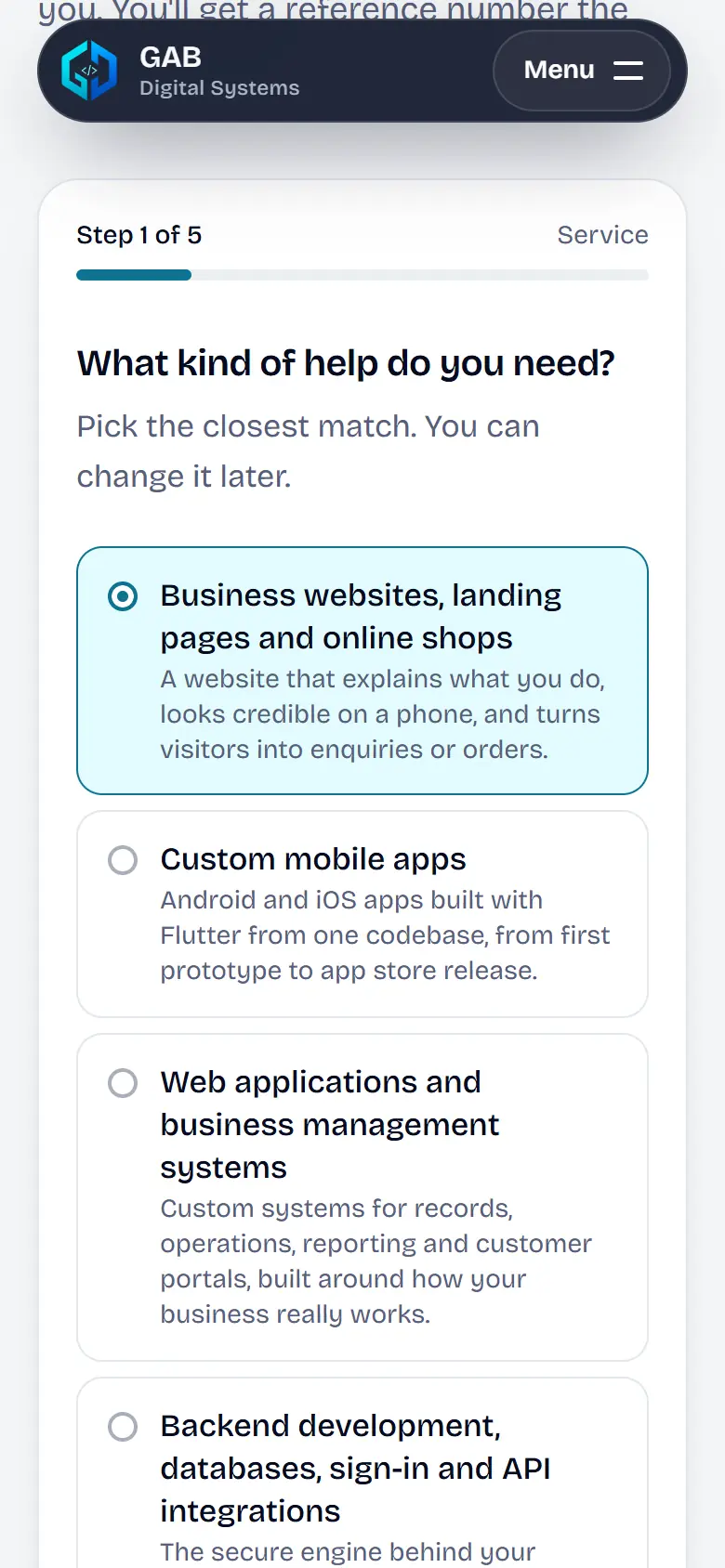
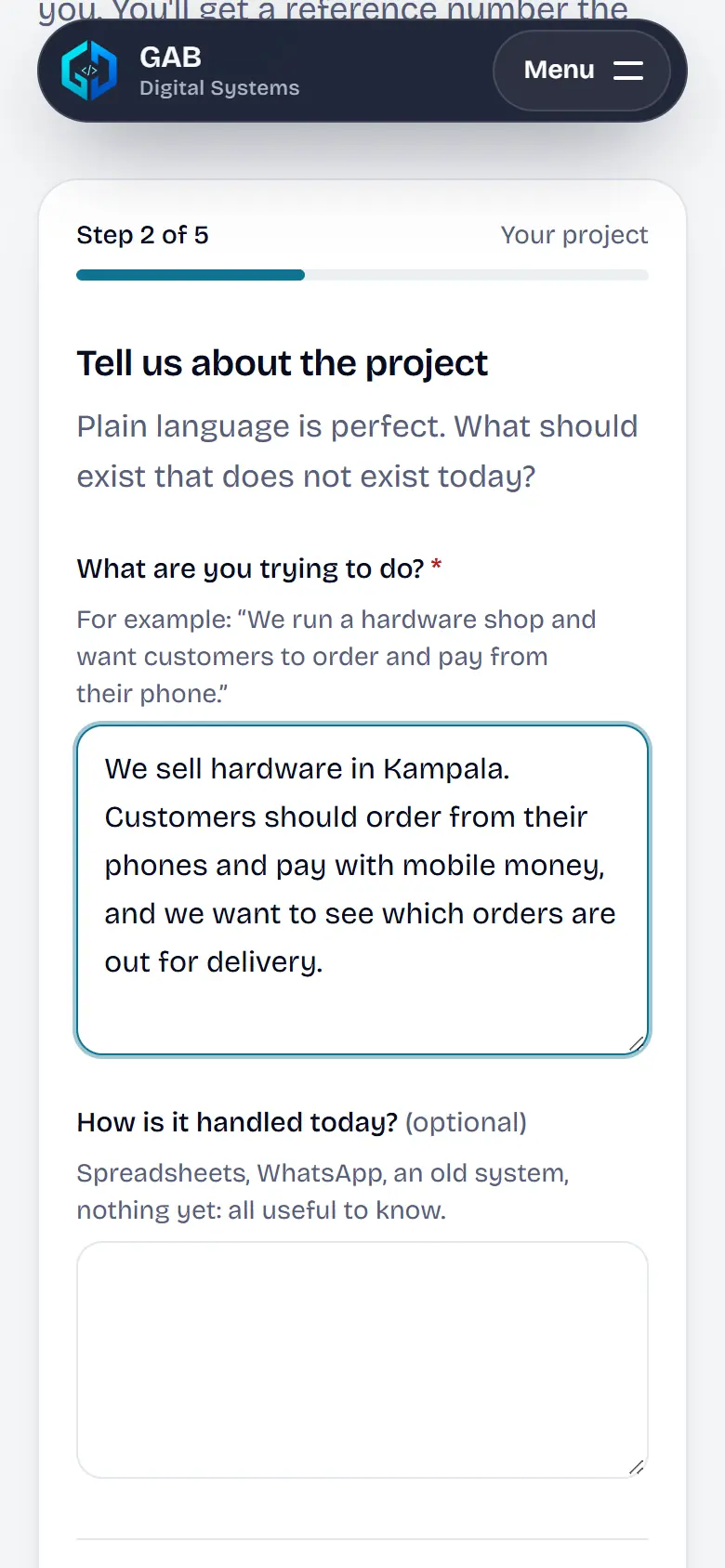
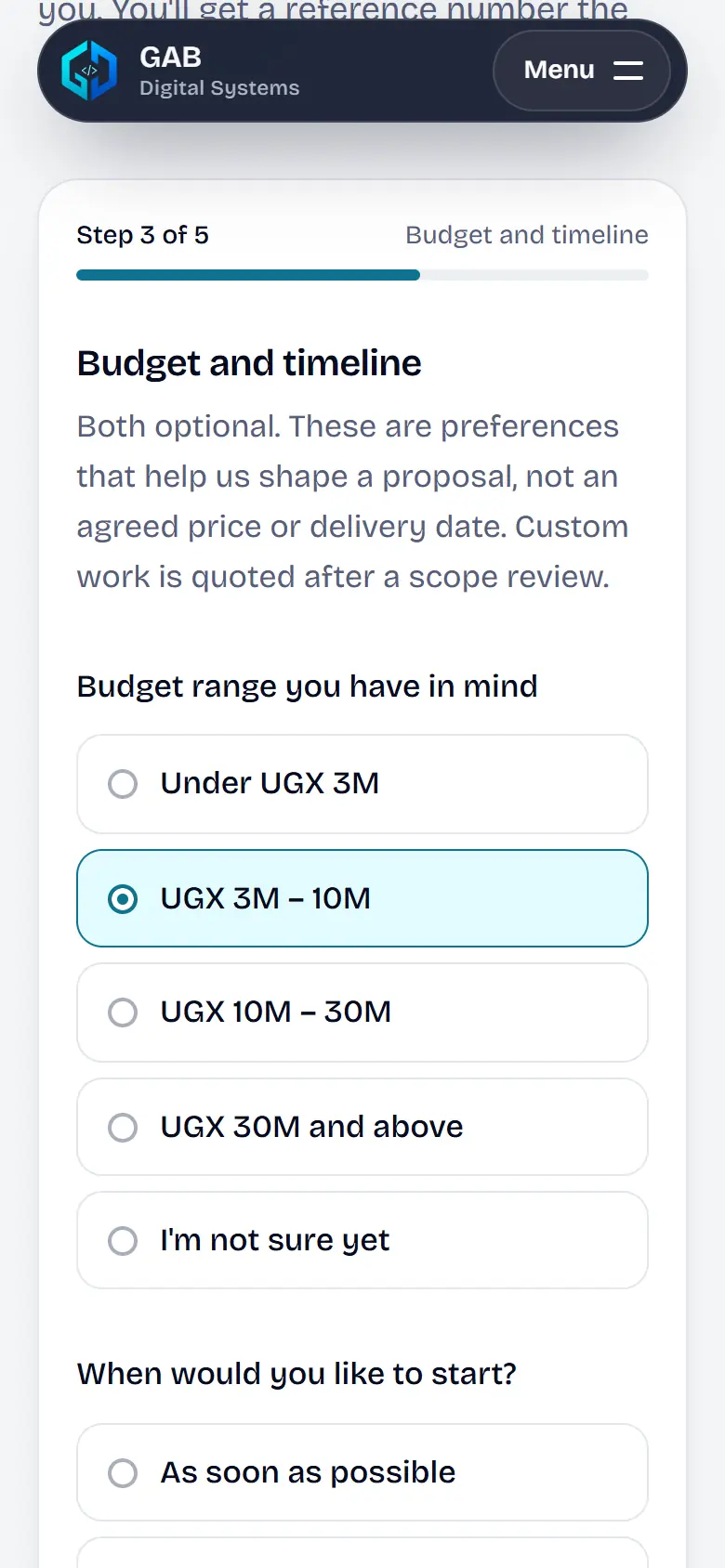
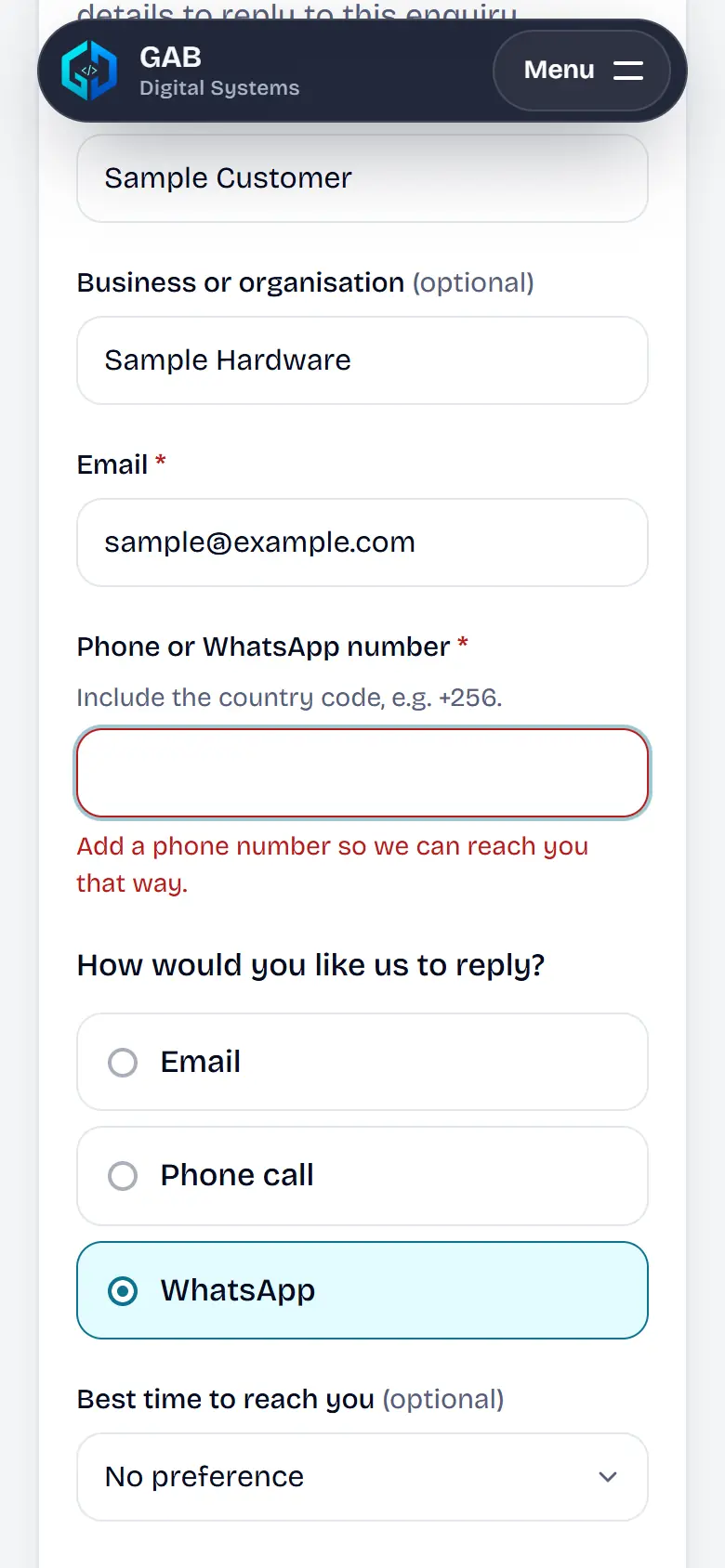
Six screens from a real run of this site's enquiry form on a phone, with the details that took the most care. The same care goes into what we build for clients.

  1. Screen from the GAB Digital Systems enquiry flow on a phone, filled in with sample entries

    01 of 6

    It starts where you came from

    Arrive from the websites page and that service is already chosen. One question per screen, with the progress shown at the top.

  2. Screen from the GAB Digital Systems enquiry flow on a phone, filled in with sample entries

    02 of 6

    Your words, kept on your phone

    Describe the project in your own words. The draft is saved on the device as you type, so a dropped connection or a refresh loses nothing.

  3. Screen from the GAB Digital Systems enquiry flow on a phone, filled in with sample entries

    03 of 6

    Preferences, not promises

    Budget and timeline are optional ranges with an “I'm not sure yet” choice, and the screen says plainly they are not a price or a delivery date.

  4. Screen from the GAB Digital Systems enquiry flow on a phone, filled in with sample entries

    04 of 6

    Errors that say how to fix them

    Choose WhatsApp without giving a number and the form asks for one, next to the field, before you can continue.

  5. Screen from the GAB Digital Systems enquiry flow on a phone, filled in with sample entries

    05 of 6

    Check before sending

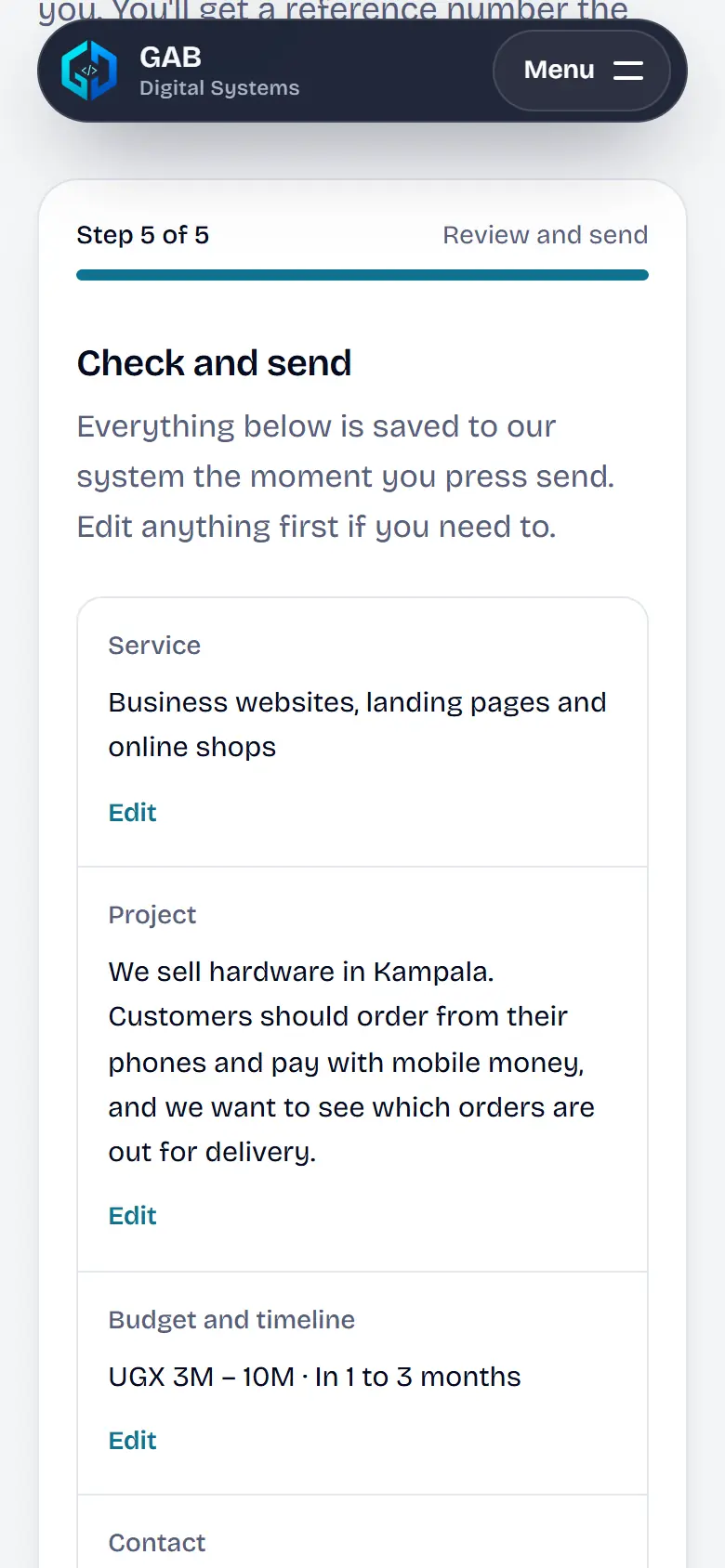
    Everything on one screen with an Edit link beside each part. Nothing is sent until you press Send enquiry.

  6. Screen from the GAB Digital Systems enquiry flow on a phone, filled in with sample entries

    06 of 6

    Saved first, then confirmed

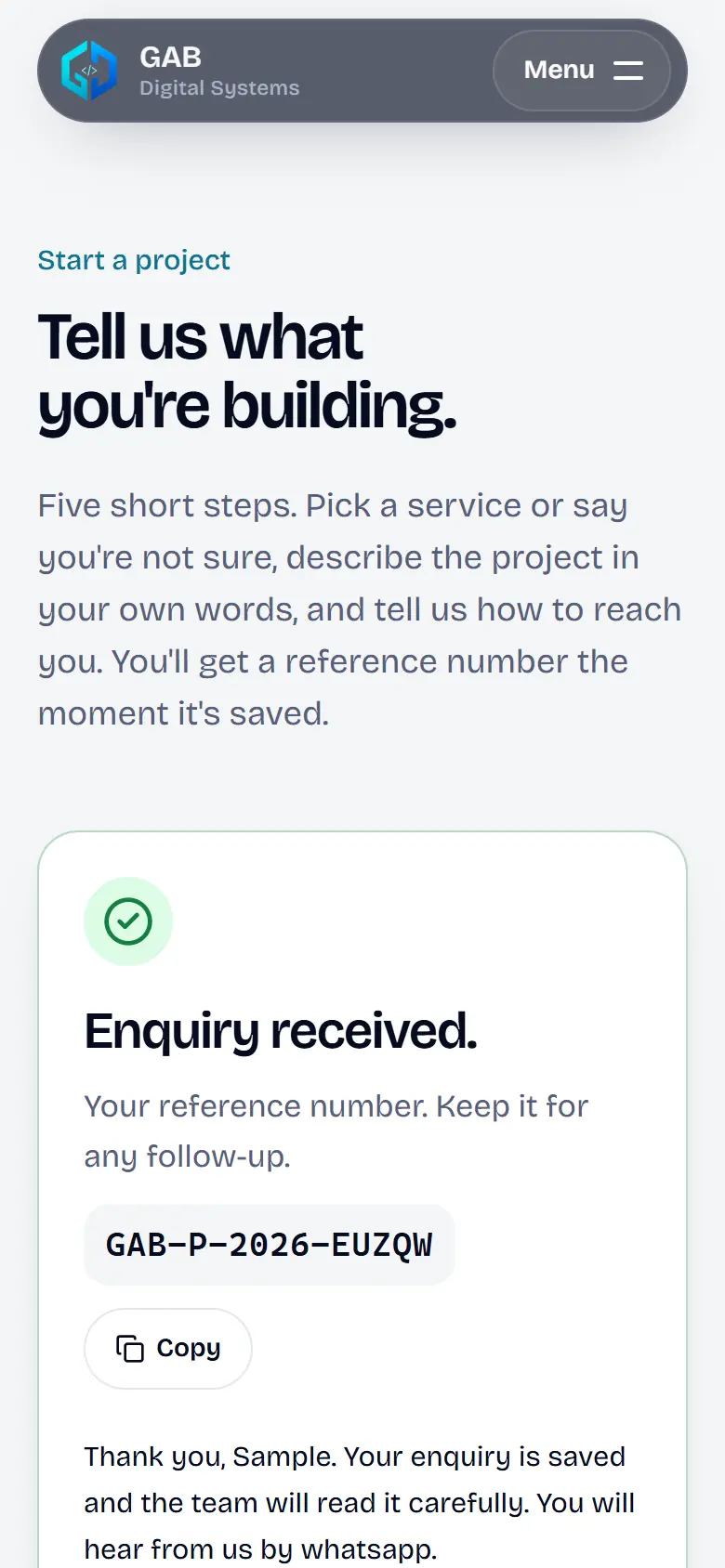
    The reference number appears only after the enquiry is written to the database, with a copy button and a status page. Emails go out afterwards, so you never wait for them.

Try it yourself

Nothing is sent until you press Send enquiry.

Start your project

What should we build for you?

Describe a project, plan an idea, or talk to us first.

You know what you need

Describe the project in five short steps on any phone, with no account. You get a reference number the moment it is saved, and a reply with questions or a clear next step.

  1. 1Service
  2. 2Your project
  3. 3Budget and timeline
  4. 4How to reach you
  5. 5Check and send
Or shape an idea with GAB Project Planner

You would rather talk first

Request a free consultation. Suggest up to three times that suit you (East Africa Time (EAT, UTC+3)); we confirm one with you before anything is booked.

Not sure what to ask for?

Pick a kind of business and we sketch the system it needs, or describe yours in the enquiry.

Whatever you pick in the sketch above is carried into the enquiry, so you only say it once. Go straight to the enquiry